Home / Life Insurance / Articles / How to Update Nominee in Life Insurance?
How to Update Nominee in Life Insurance?
Team AckoMay 20, 2026
Share Post
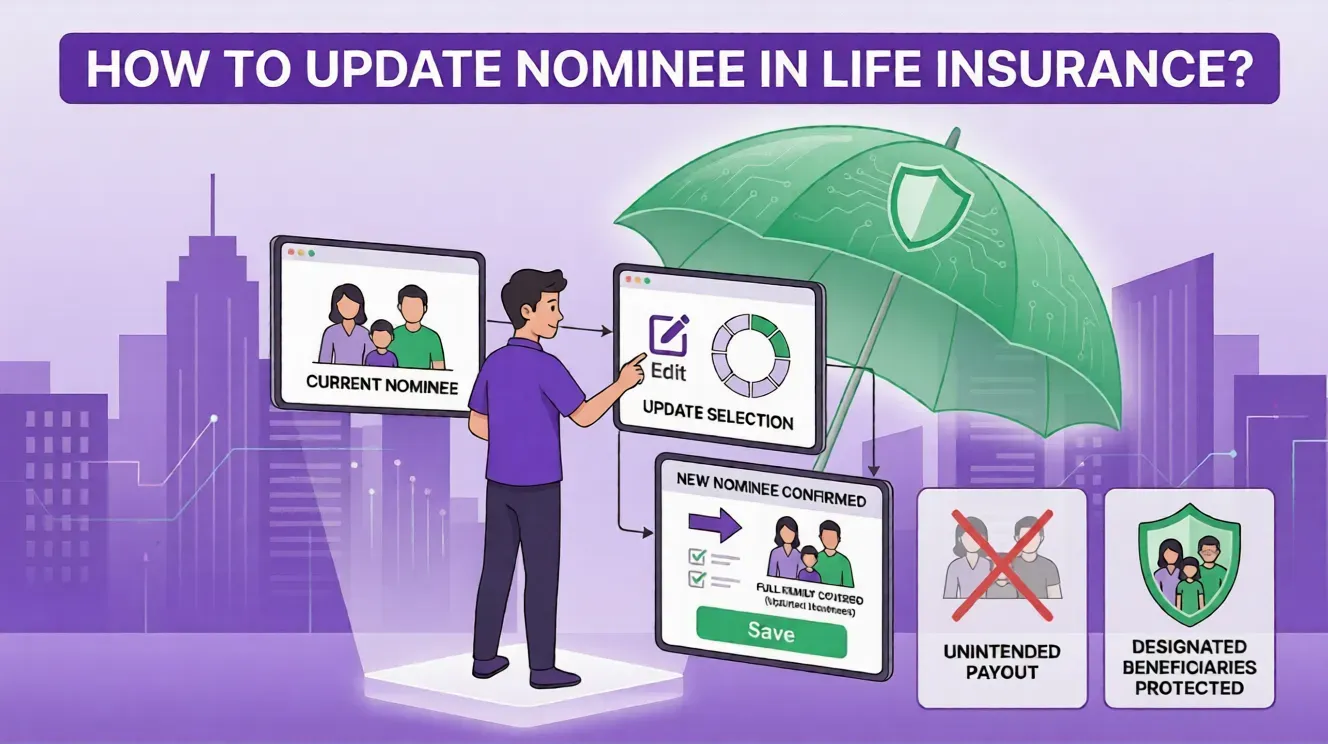
Updating the nominee in a life insurance policy can be done online via the insurer's website/app or offline at a branch by filling out a Nomination Change Form.
Different life stages like marriage, shifting financial responsibilities, or childbirth often make you reconsider the nominee of your policy. Keeping nominee details updated helps ensure that policy benefits are paid to the intended person, subject to policy terms and conditions. Keep reading to understand the steps to update nominee details in life insurance
Contents

Who is a Nominee in Life Insurance?
A nominee is an individual you can choose to receive the death benefits of your life insurance policy. You can select someone financially dependent on you, or a person of your choice, as allowed under policy terms. The nominee you choose might be any person whom you can trust to responsibly receive and use the payout to fulfil the financial purpose for which the policy was purchased.
It is important to provide relevant details of your nominee during policy purchase. Due to some life changes, if you want to change the nominee details, you might add the name directly by using the app, where you get policy details. You can also choose more than one nominee and mention the share of the sum assured for each member.
Step-by-Step Guide to Update Nominee in Life Insurance
Here are the steps to follow to update the nominee in a life insurance policy:
Step 1 -
Online: Log in to the website or mobile application of your insurer.
Offline: Download the form ‘Change of Nomination’ or pick it up from the nearest branch of the insurance provider.
Step 2 - Enter the complete name, date of birth, address, and relationship with you of the nominee.
Step 3 - If you are nominating more than one nominee, specify the percentage share for each nominee. This must add up to 100%.
Step 4 - If the nominee is a minor, assign a guardian to collect the benefits on their behalf as per the policy conditions.
Step 5 - Attach necessary documents like proof of the policyholder’s and nominee’s identity, and relationship proof if required.
Step 6 - Complete the process by submitting the form online or at the branch and retaining the confirmation receipt.
How to Update Nominee Details Using the ACKO App?
If you are an ACKO Life Flexi Term Plan policyholder, updating nominee details is quick and easy. All you need to do is follow these steps to update nominee details:
Step 1: Open the ACKO app on your smartphone device.
Step 2: Locate the ‘My Policies’ option in the bottom tab and click on it.
Step 3: Choose your preferred life insurance policy.
Step 4: Click on the option ‘Update Nominee Details’ and choose your preferred option for initiating the process.
Why is Updating Your Nominee Important in Life Insurance?
Let us look at a few common situations where updating the nominee of life insurance might be considered:
You get married and want to nominate your spouse
You have one child and want to distribute benefits between your child and your spouse.
Your existing nominee has passed away.
You get divorced and want to update the nomination details.
If nominee details are outdated, claim settlement may require additional documentation and could take longer, depending on circumstances. Updating your nominee helps reduce confusion during the claim process.
Common Mistakes While Choosing a Nominee Name in Life Insurance
Here are some common mistakes people make while choosing a nominee name in life insurance:
Appointment of a Single Nominee
If the nominee passes away before the policyholder and without the addition of a new nominee, then the claim may be payable to the legal heirs. This scenario may require additional paperwork.
Not Informing the Nominee
It is always advisable to inform the nominee about all the insurance policy details. Sharing all the basic information might help the nominee understand the claim process if necessary.
Minor Nominee Without Guardian
Parents often nominate their children. If the nominee is a minor (below 18 years), a guardian must be appointed to receive the benefits on behalf of the minor, as per policy rules. If a guardian is not appointed, the claim process may require additional formalities.
Final Words
The life insurance nominee update process is quick and convenient, with both online and offline processes. Updating the nominee change safeguards your loved ones financially and also helps prevent claim disputes. For a nominee change, you generally need to provide your policy number, the new details of the nominee, and ID proof for a smooth completion of the process.
Reviewing nominee details after major life events can help ensure that policy benefits are directed to the intended person.
Frequently Asked Questions
Below are some of the frequently asked questions on How to Update Nominee in Life Insurance?

Can I appoint multiple nominees under a single life insurance policy?
Yes, you can include multiple nominees under a single insurance policy. However, it is essential to specify the percentage of the claim amount each nominee will receive when you are not around.
Can I change the nominee's name while the life insurance policy is still active?
Yes, you can change the nominee's name even when your life insurance policy is still active.
Are any charges applicable during a nominee appointment to a life insurance policy?
The initial nomination is usually done at the time of purchase without charges. Some insurers may apply a service fee for changes in nomination, depending on policy terms.
What happens if the nominee dies before the assured individual?
If the nominee passes away before the policyholder, you can decide a new nominee by giving notice to the insurance company. If no new nominee is named and a claim is made, the insurance claim can be payable to the legal heirs, as per the terms of the insurance policy.
Can I nominate a minor as the beneficiary of my life insurance policy?
Yes, a minor is eligible to nominate. Also, select a guardian who will be responsible for receiving and managing policy benefits on behalf of the minor until they attain the age of 18 years.
Explore Life Insurance Product

Was this article helpful?

Recent
Articles
No Insurance, No Fuel: What the Supreme Court's Pilot Means
Nikhila PS Aug 6, 2026
Supreme Court Extends Third-Party Insurance for New Cars to Four Years
Nikhila PS Aug 6, 2026
Do ADAS Features Reduce Car Insurance Premiums in India?
Nikhila PS Jun 25, 2026
How Do BS6 Bikes Affect Bike Insurance Premiums and Coverage?
Nikhila PS Jun 25, 2026
Top 15 Car Companies in India in 2026
Nikhila PS Jun 25, 2026
All Articles


Want to post any comments?

ACKO Term Life insurance reimagined
ARN:L0072|*T&Cs Apply

Check life insurance


#36/5, Hustlehub One East, Somasandrapalya 27th Main Rd, Sector 2, HSR Layout, Bengaluru, Karnataka 560102